Let us help you | Taoist Wellness Online

Find detailed guides, troubleshooting help, and support to enhance your learning experience with Taoist Wellness Academy Online.

How to update your in-app subscription payment details in Google Play Store

App

How to update your in-app subscription payment details in Google Play Store

Last updated on 11 Sept, 2025

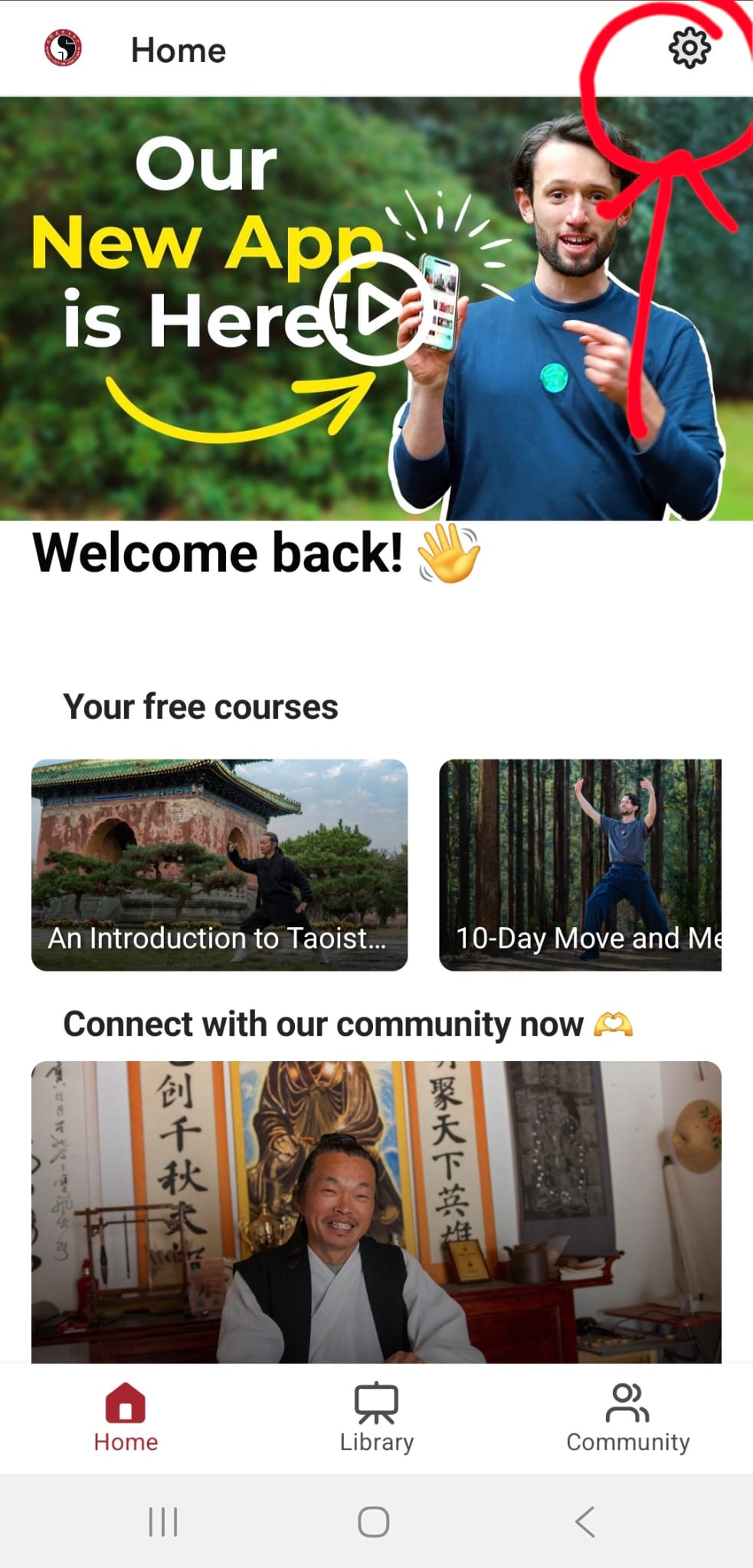
1. Open our app and select the settings button from the top-right corner.
Image


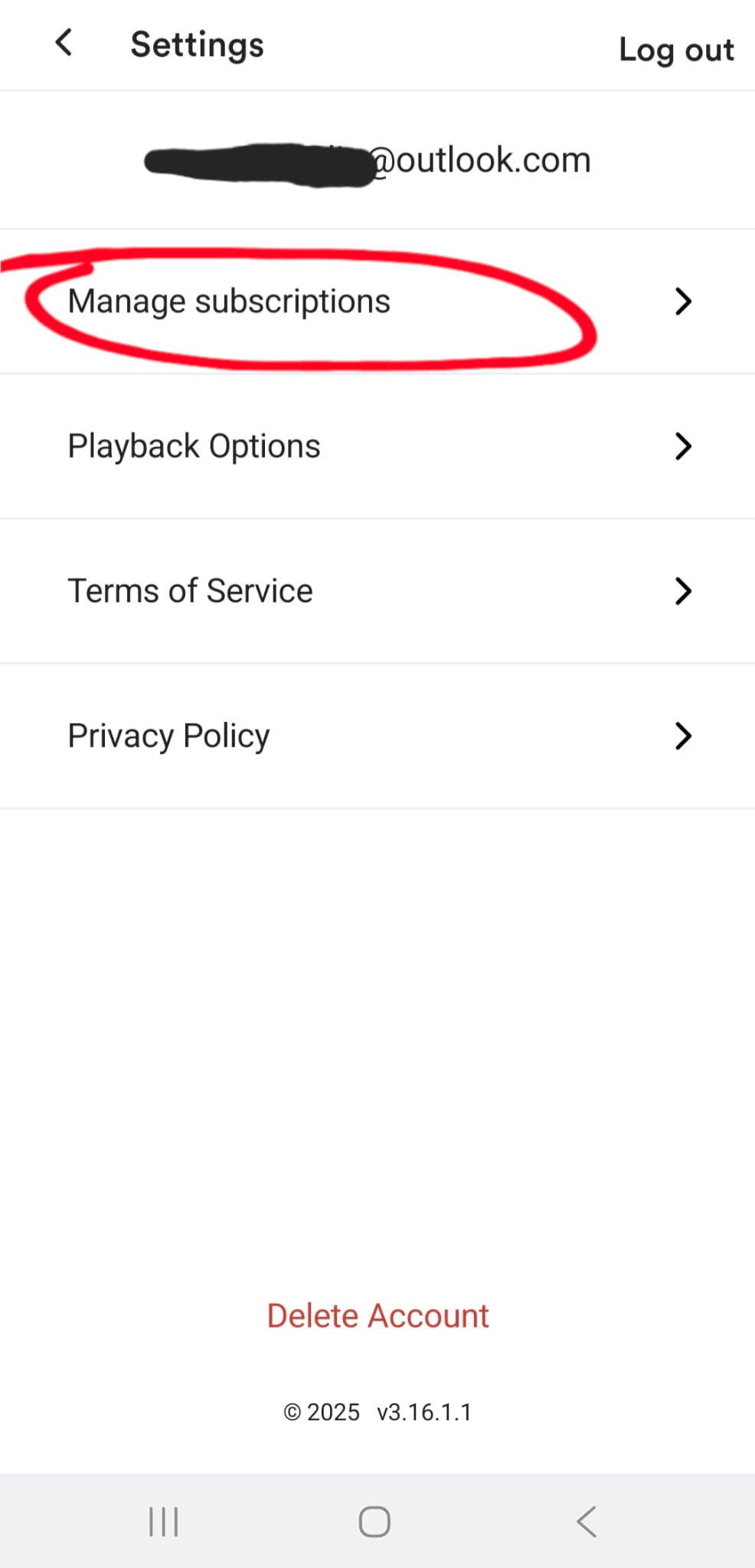
2. Select manage subscriptions.

Image


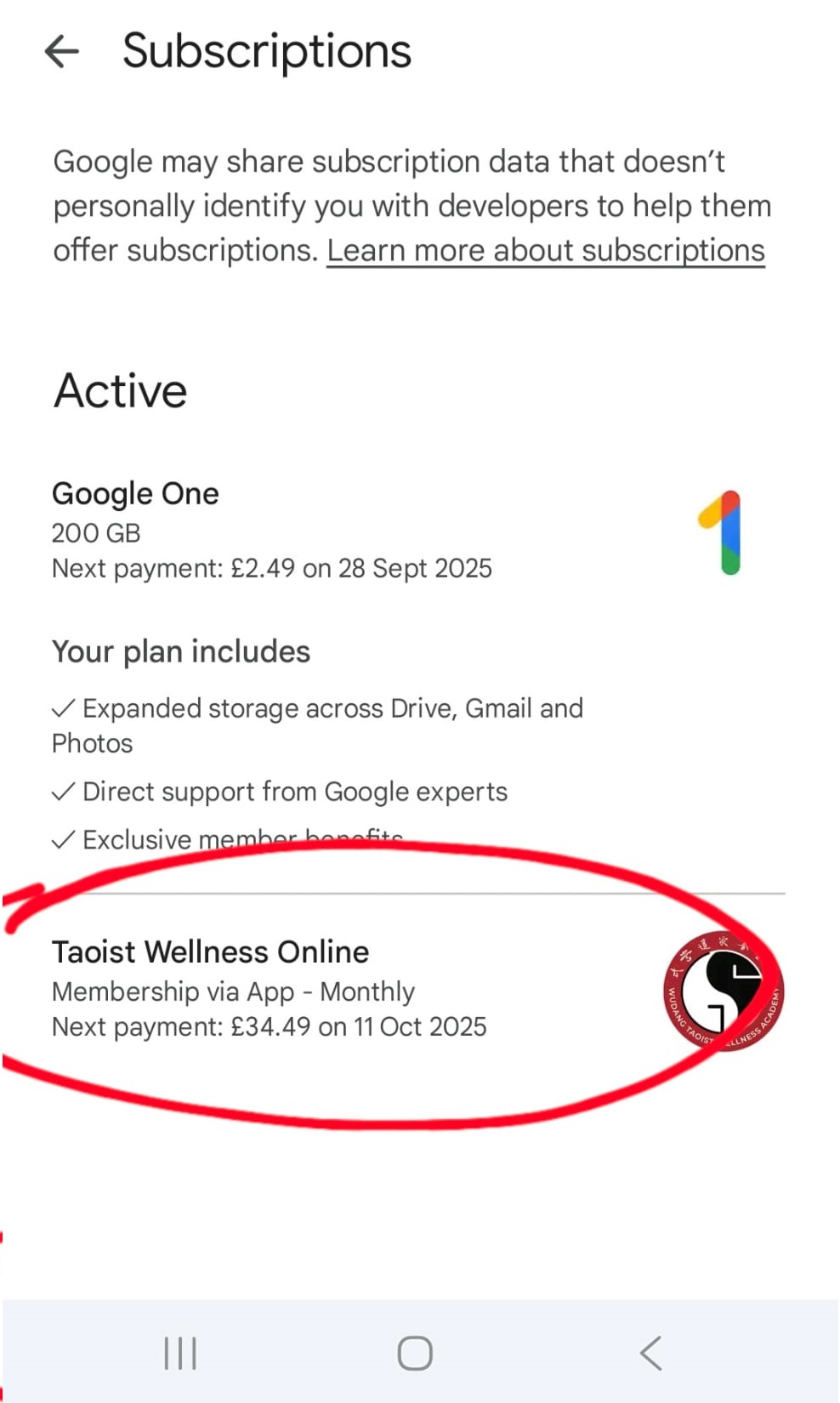
3. Find 'Taoist Wellness Online' from your list of active subscriptions and click it.
Image


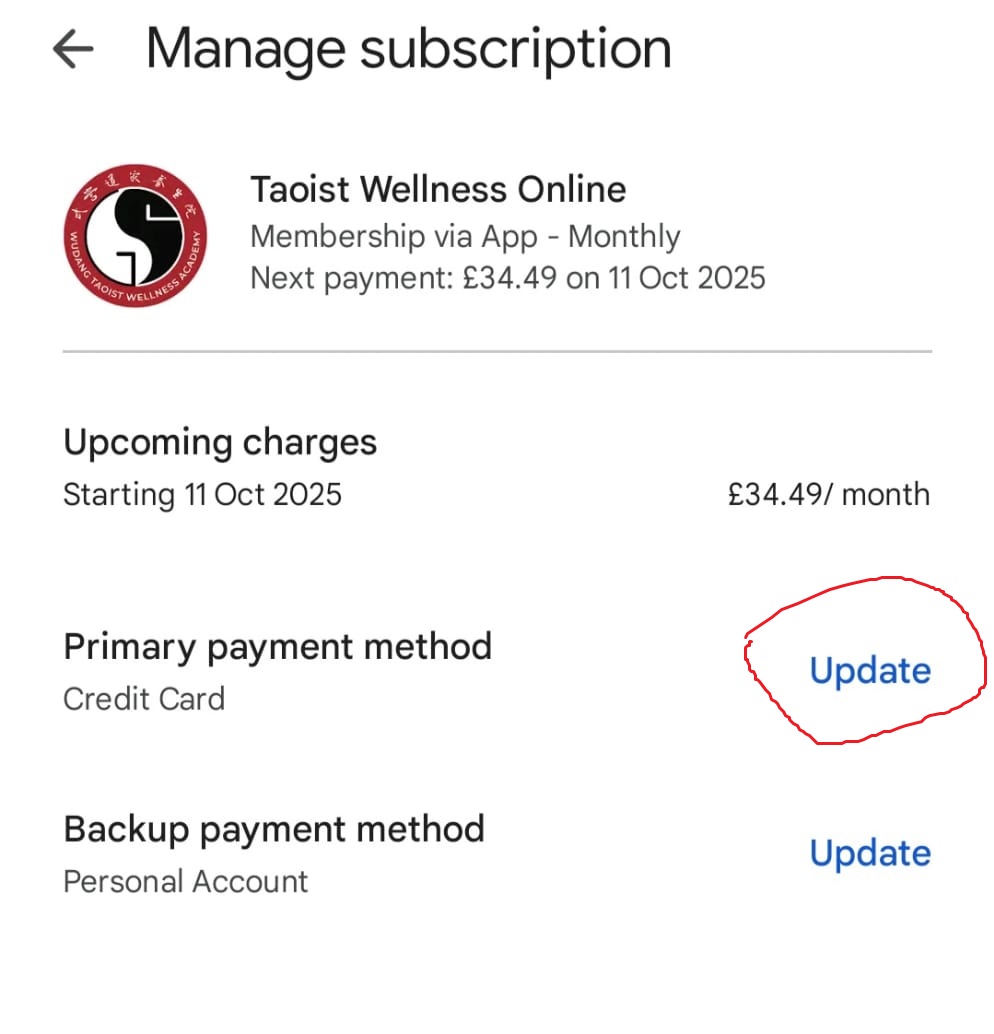
4. Here you will find your subscription and payment details. Press the blue 'update' link next to your payment methods to update your payment method.
Image


Did you find this article helpful?
Previous

How to clear app data and cache for our app

Next