

If you have an active subscription to our academy via Google Play Store, this can be managed via your Google Play Store account.
You can access this one of two ways:
OPTION #1 - Via our app
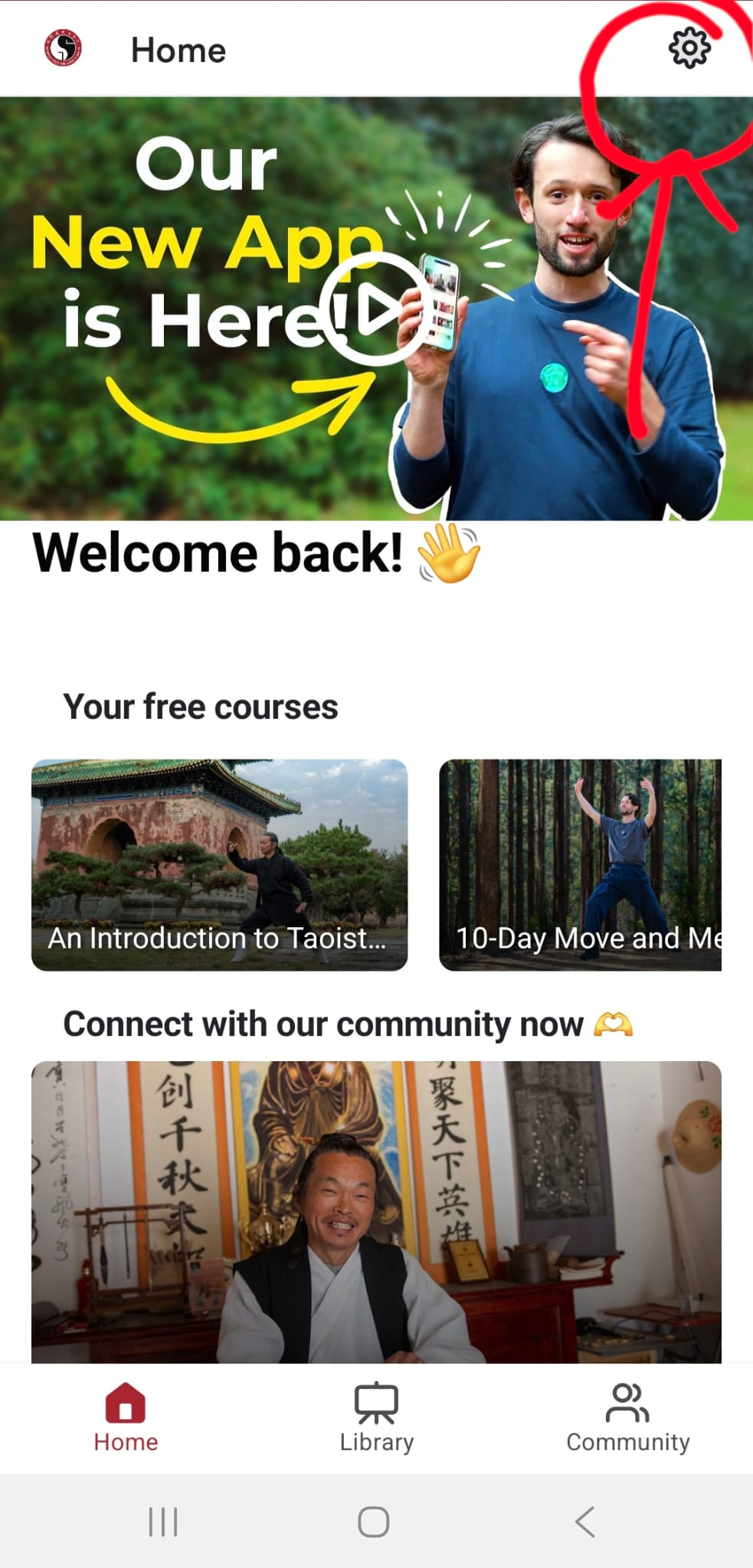
1. Open our app and select the settings button from the top-right corner.
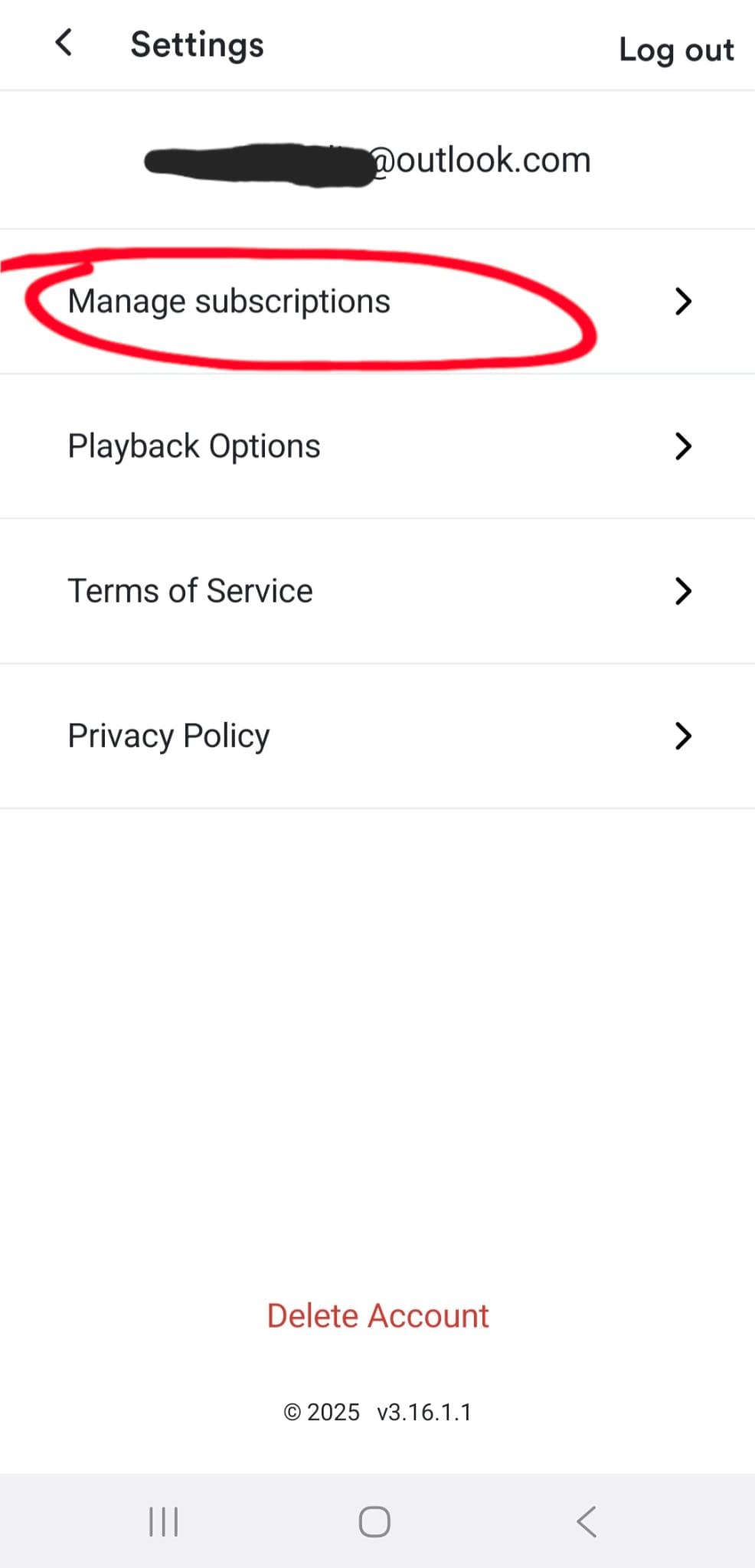
2. Select manage subscriptions.
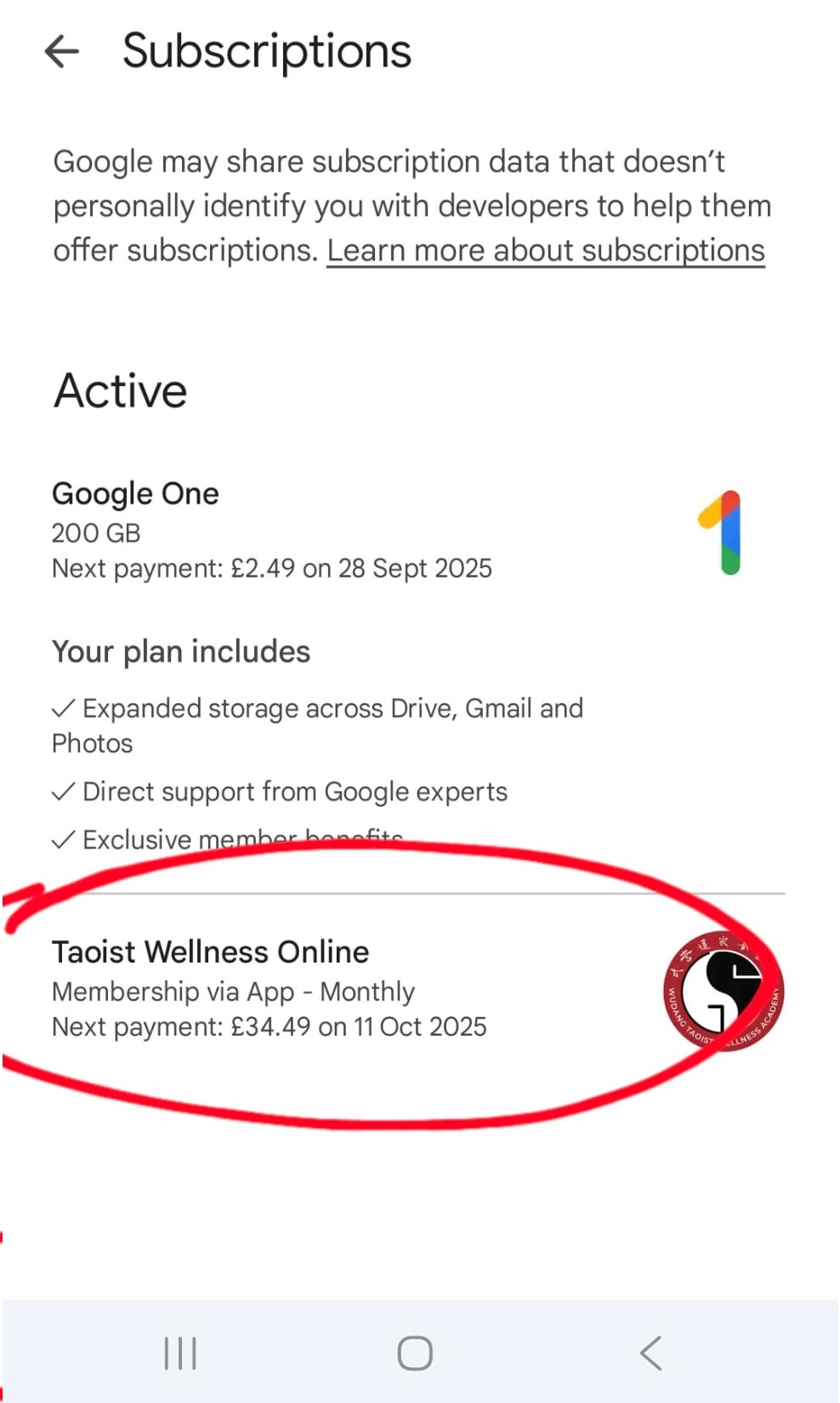
3. Find 'Taoist Wellness Online' from your list of active subscriptions and click it.
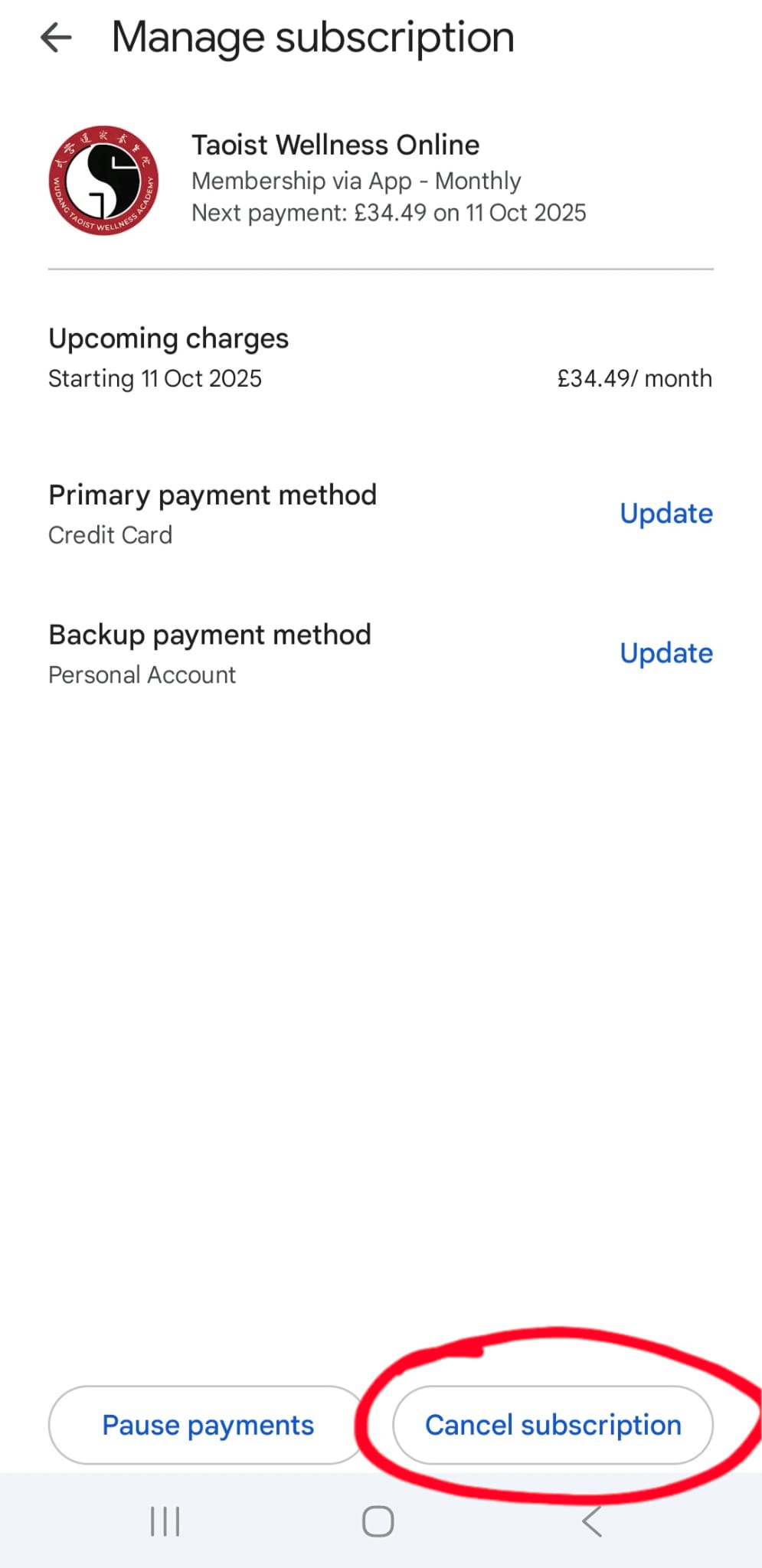
4. Here you will find your subscription and payment details. Select 'cancel subscription' at the bottom.
5. Select a reason for cancelling, then press the blue 'cancel subscription' button.
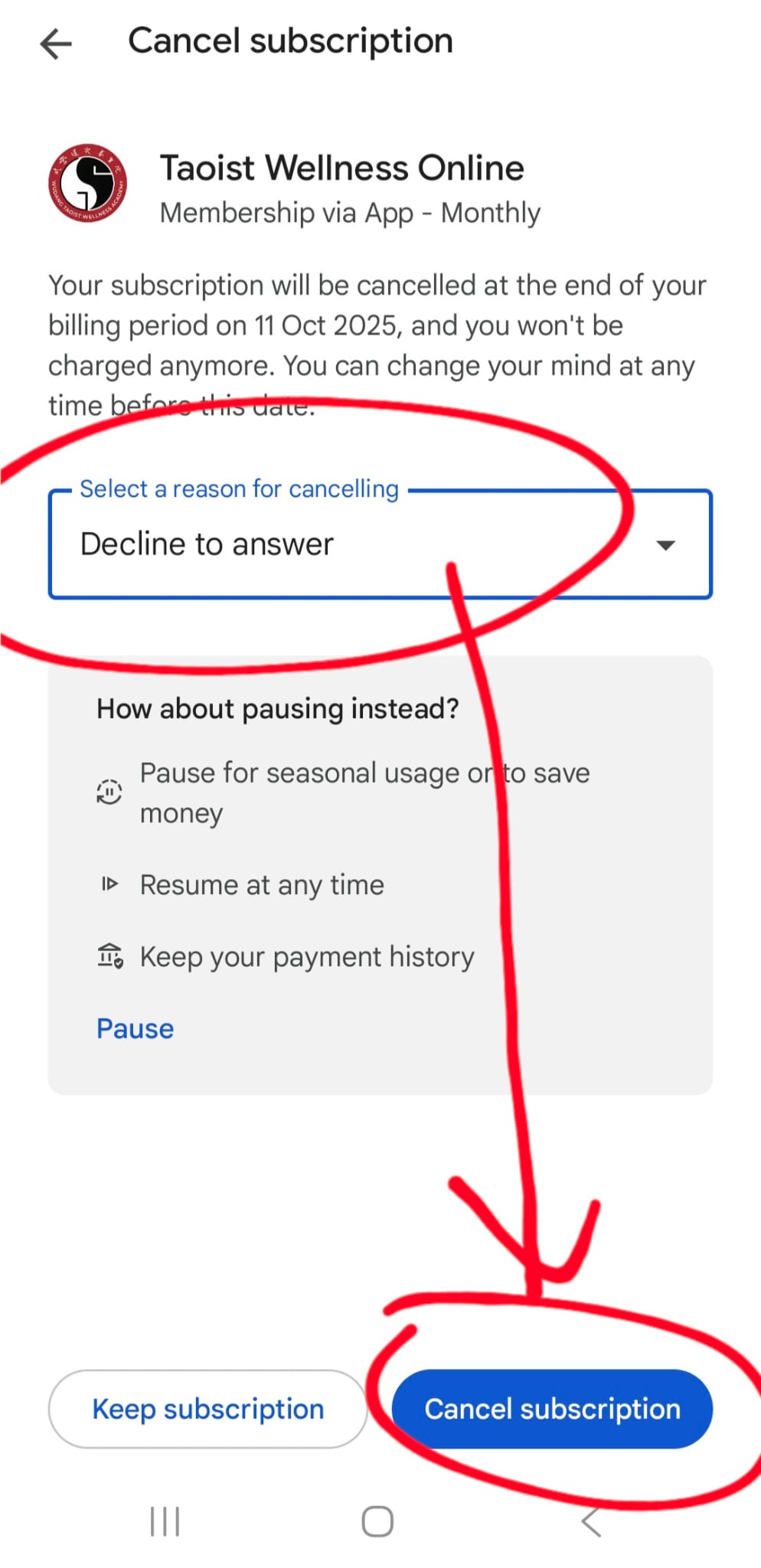
7. Your subscription will be cancelled at the end of your billing period.