Let us help you | Taoist Wellness Online

Find detailed guides, troubleshooting help, and support to enhance your learning experience with Taoist Wellness Academy Online.

How to pause your in-app subscription in Google Play Store

App

How to pause your in-app subscription in Google Play Store

Last updated on 11 Sept, 2025

In Google Play Store, you have the option to pause your subscription up to 3 x times in a 12 month period. To do this:

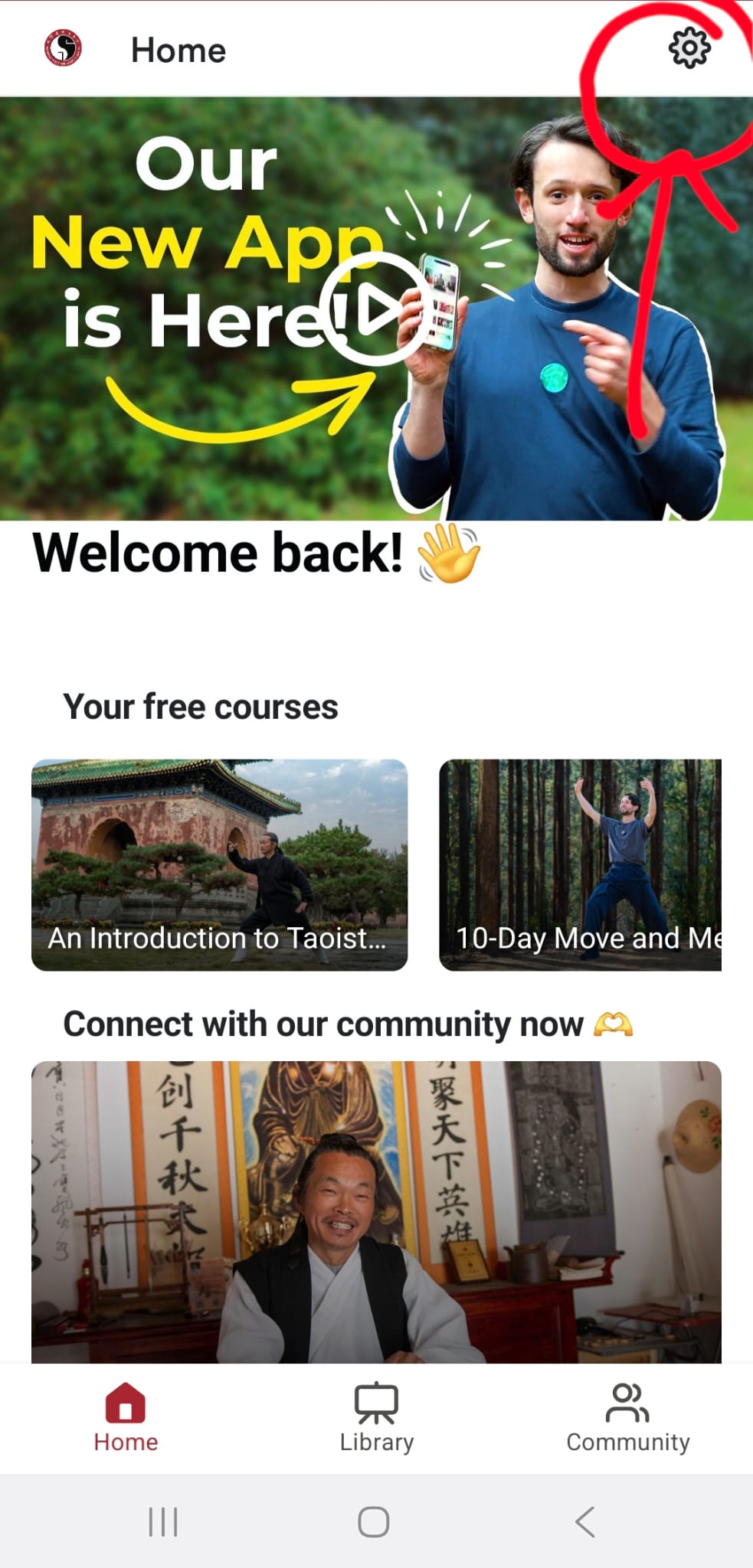
1. Open our app and select the settings button from the top-right corner.
Image


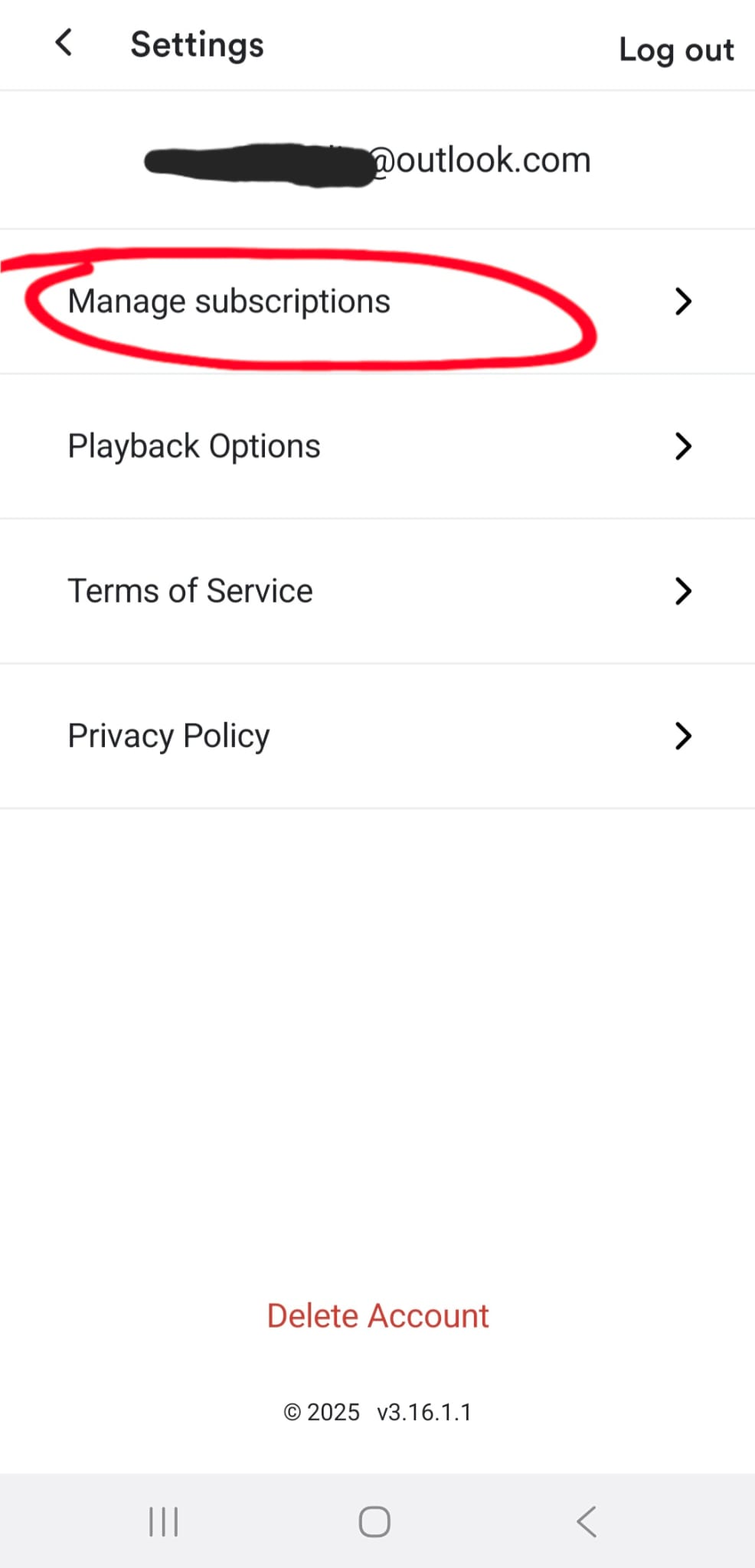
2. Select manage subscriptions.

Image


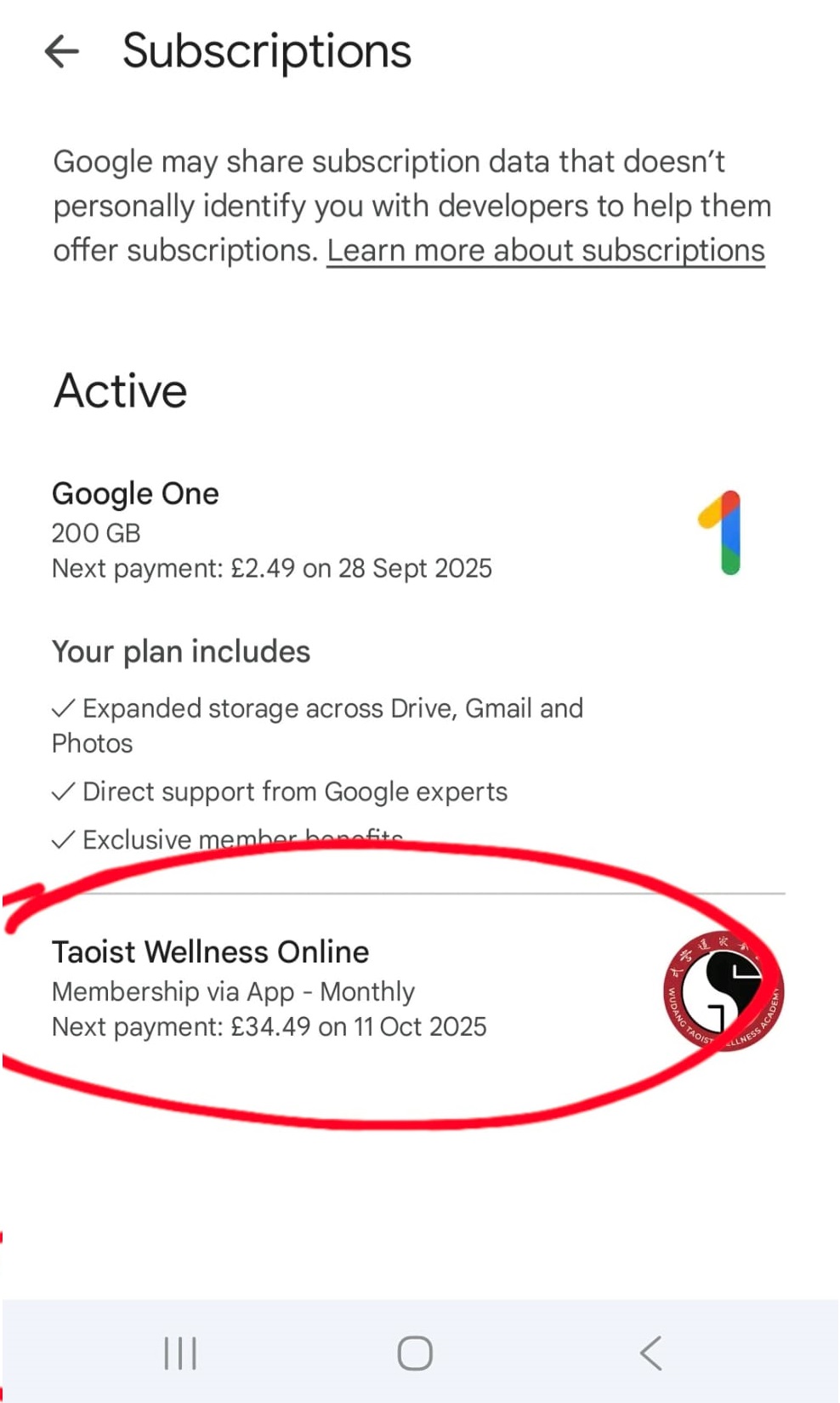
3. Find 'Taoist Wellness Online' from your list of active subscriptions and click it.
Image


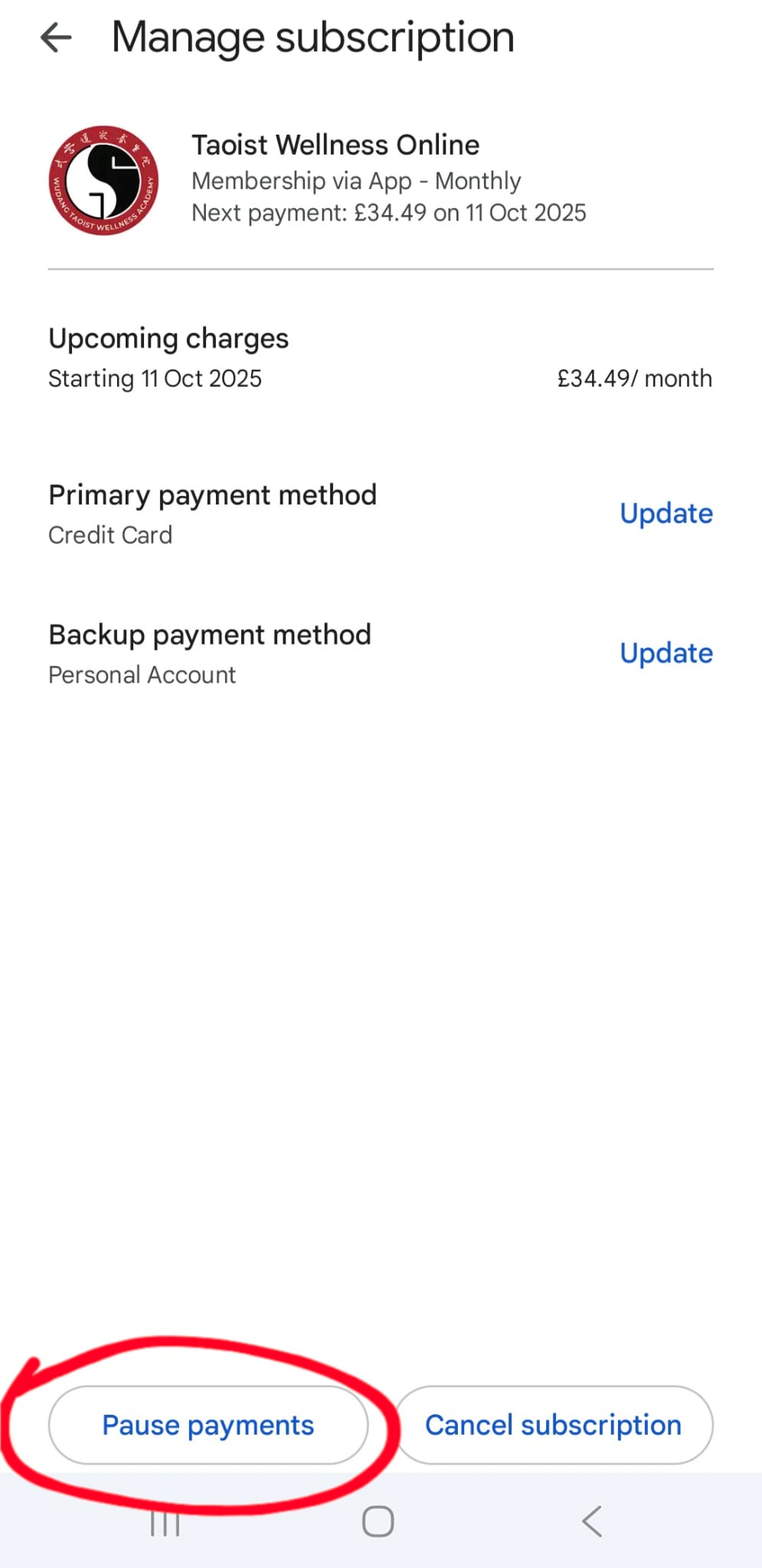
4. Here you will find your subscription and payment details. Select 'pause subscription' at the bottom.
Image


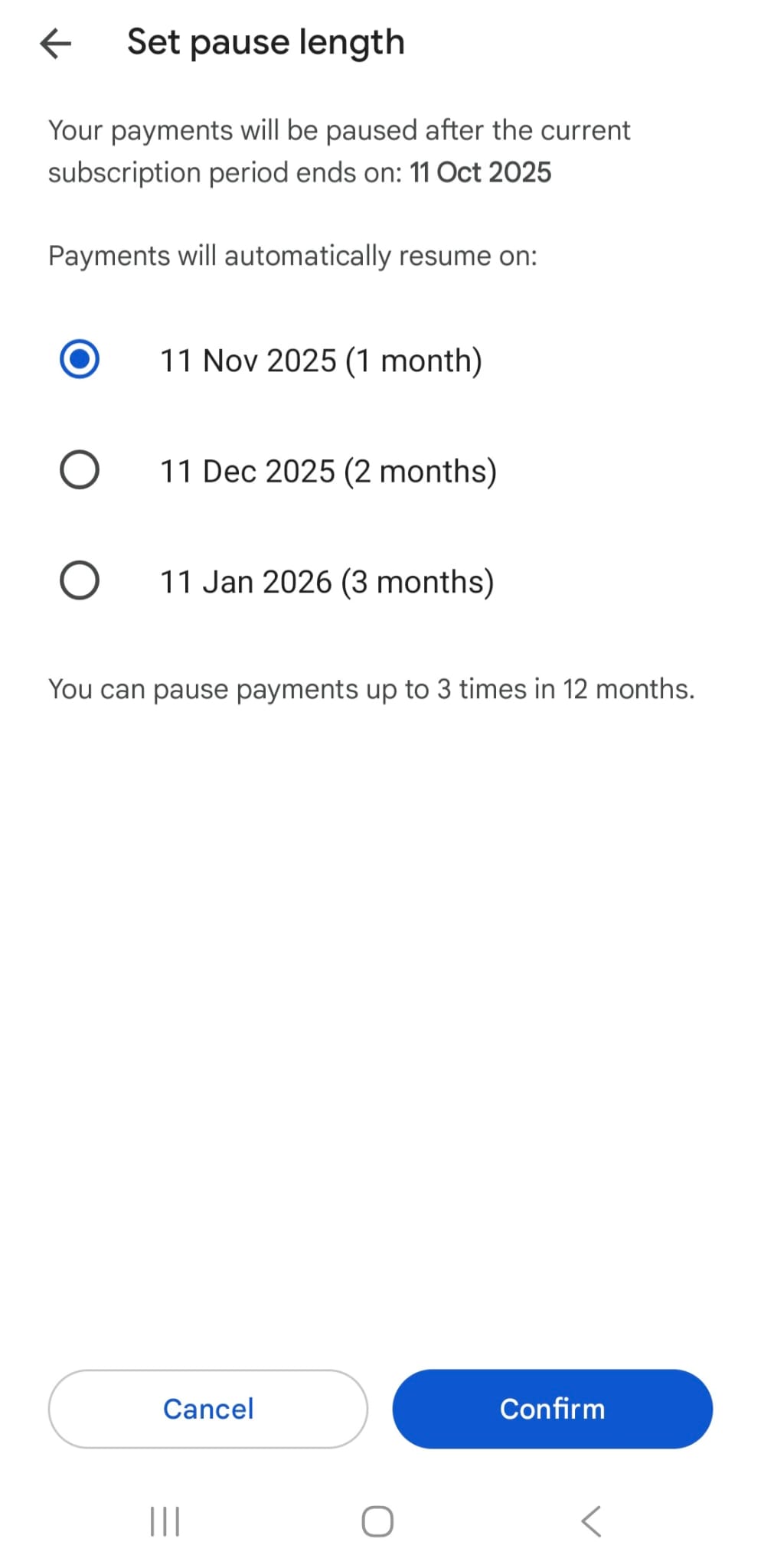
5. You will be given the option of how long you want to pause for. The maximum is 3 months at a time. Choose your option then press 'confirm'.
Image


6. Your subscription will automatically restart on the date selected.


Did you find this article helpful?
Previous

How to cancel your in-app subscription from Google Play Store

Next