

The method in which you can update your card details and billing information differs depending on whether you signed up before or after 13th December 2024, as we have now changed our payment partner. Below are the links to instructions for each instance:
If you signed up on or after 13th December 2024 or signed up before 13th December 2024 and pay using Stripe
1. Log into the academy and select the Manage your Membership page from the top menu.
2. There you will find 4 x large buttons as per the screenshot below - please select the upper right-hand side box (alternatively you can select the lower left-hand side box - both take you to the same location).
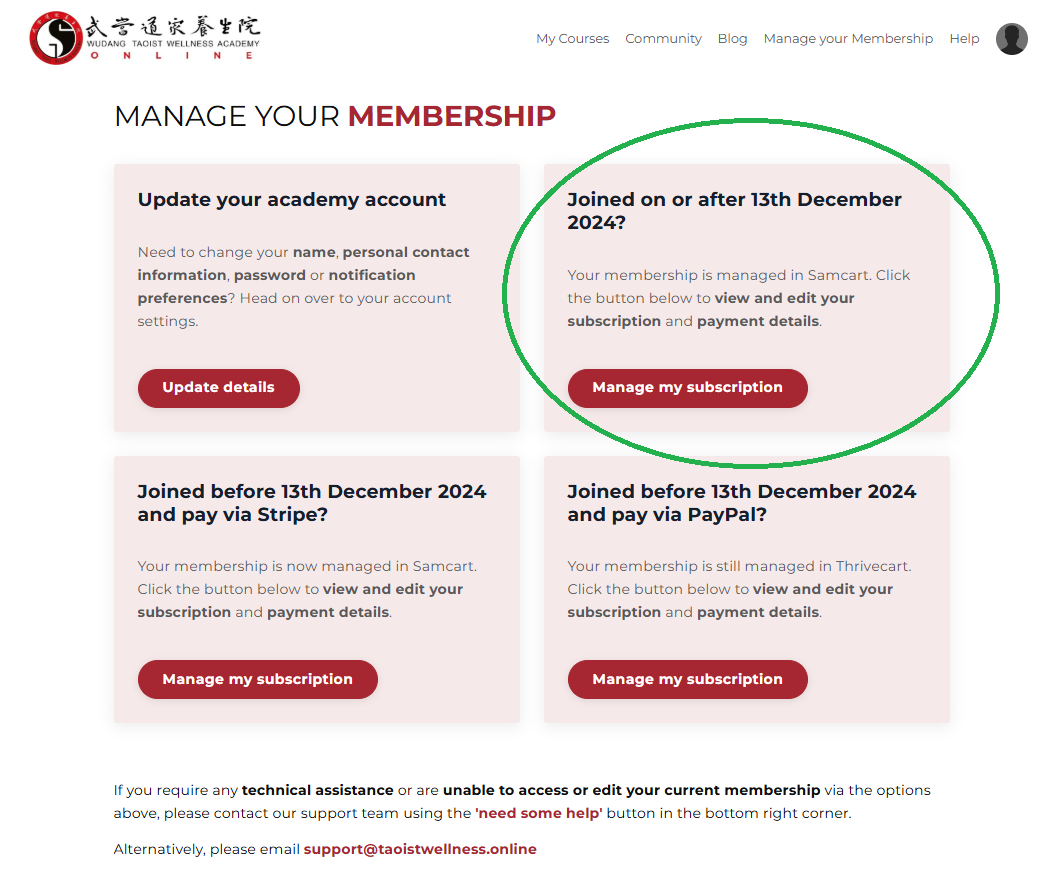
3. This will direct you to your customer portal in Samcart, our current payment partner. You will be asked to enter the same email address you use to log into the academy and upon submission, you will receive a magic link via email to access your subscription details.
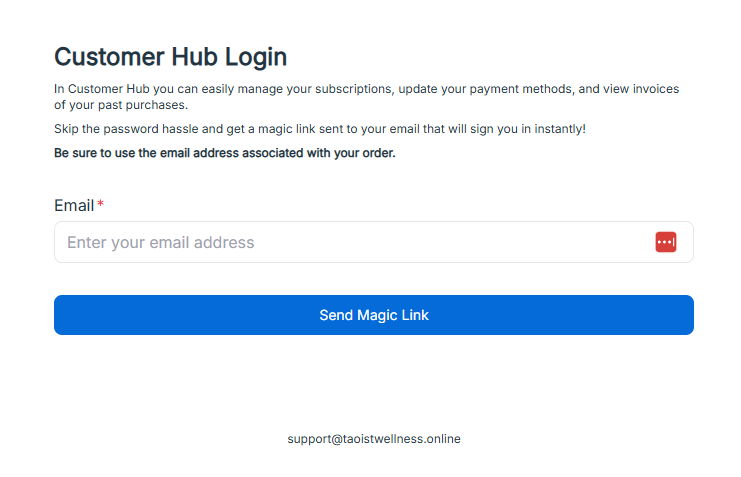
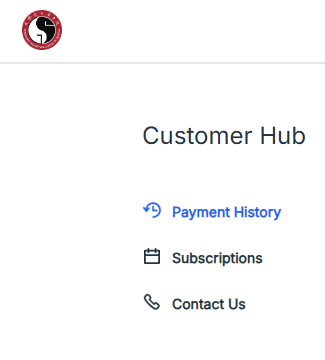
4. Click the magic link in the email received and you will be automatically logged into your customer portal, where you will see a few options. Please select 'Subscriptions' from the left-hand menu.
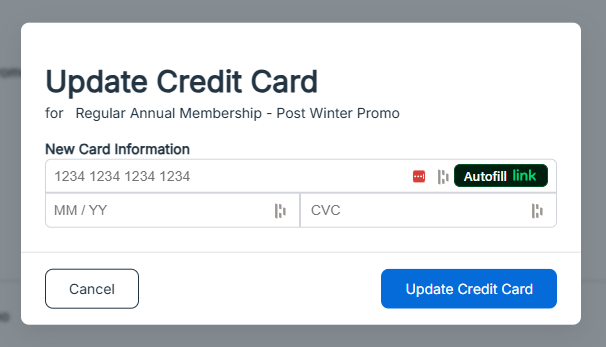
5. There you will see your current subscriptions. Click on the 'update credit card' button to change your card details then save.
If you signed up before 13th December 2024 and pay using PayPal
1. Log into the academy and select the Manage your Membership page from the top menu.
2. There you will find 4 x large buttons as per the screenshot below - please select the lower right-hand side box.
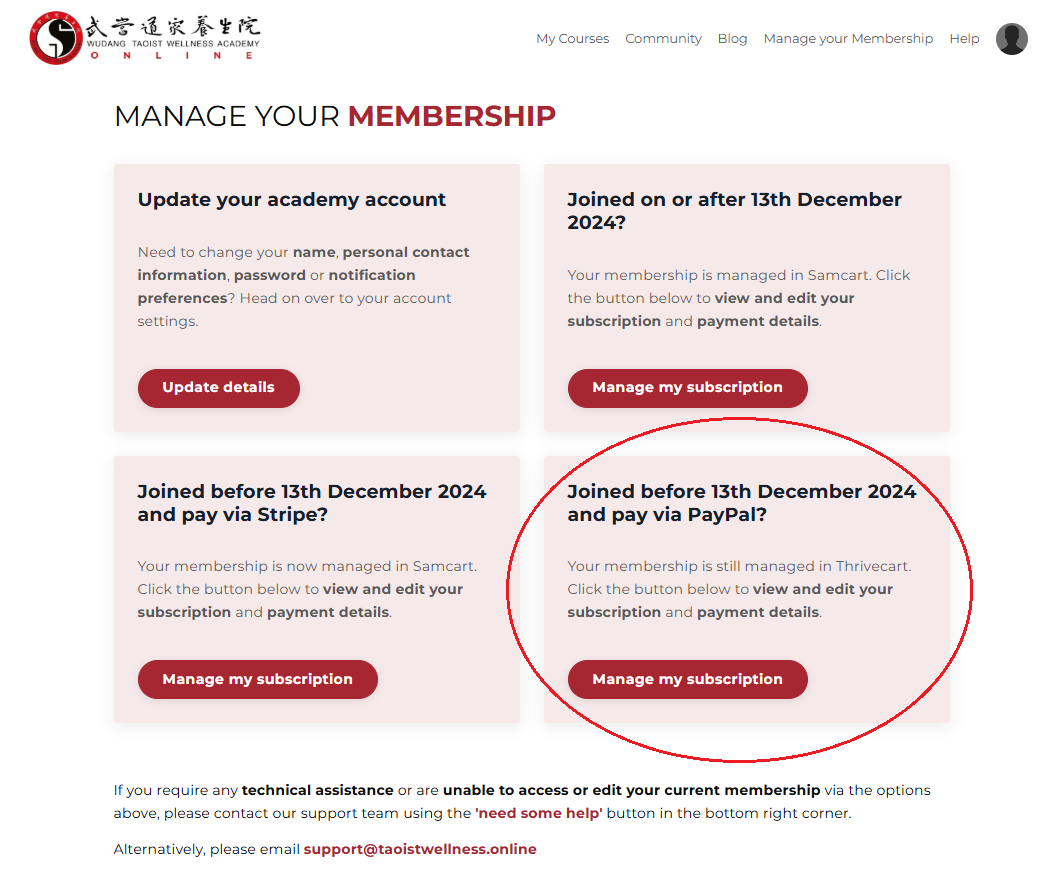
3. This will direct you to your customer portal in Thrivecart, our previous payment partner. You will be asked to enter the same email address you used to sign up to the academy (you can check this via an order email, just to make sure it does not differ from the email address you use to log into the academy) and upon submission, you will receive a magic link via email to access your subscription details.
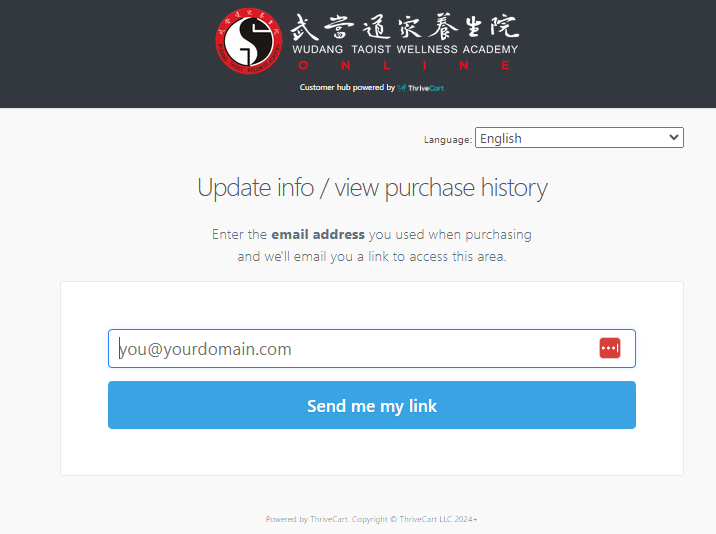
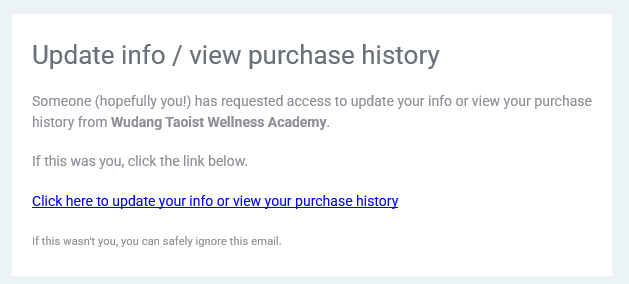
4. Click the magic link in the email received and you will be automatically logged into your customer portal.
5. Once logged in, you will see a few options on the screen and note there are two methods to change your bank details depending on your requirements.
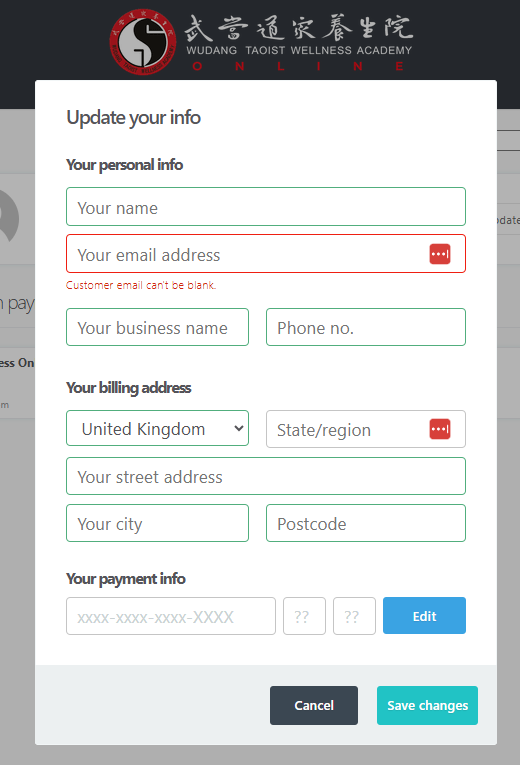
IF YOU WANT TO CHANGE YOUR BILLING INFORMATION AND CARD DETAILS FOR ALL ACTIVE SUBSCRIPTIONS (you may also have a membership to our Balance is Possible! Wayfinders Academy):
Please select the 'update my info' button next to your name and email address. There you can change your name, email address, address and card details in one go.
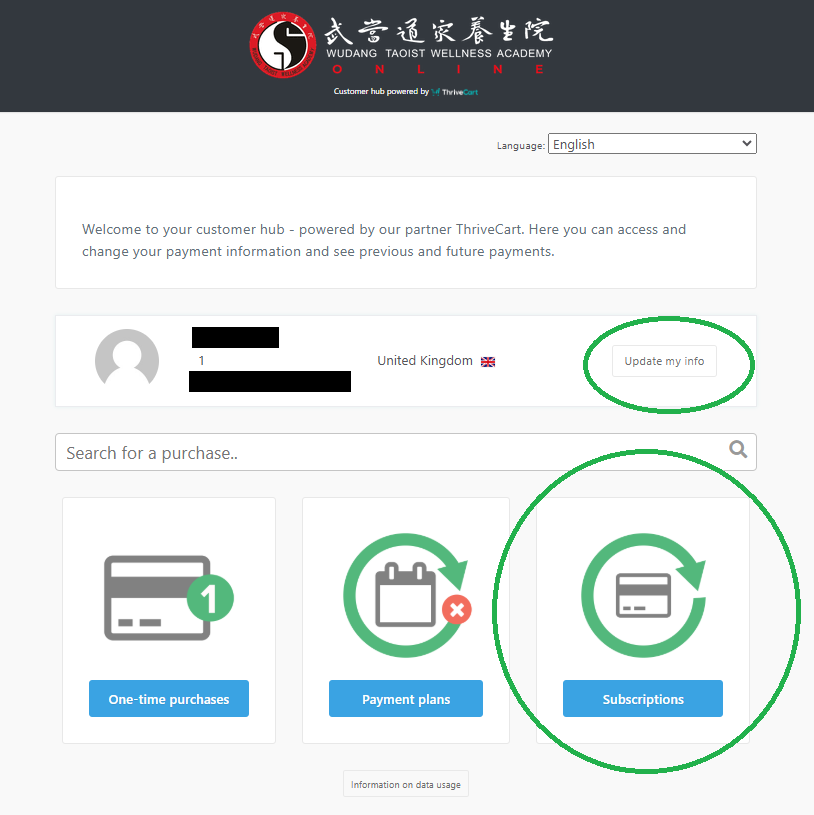
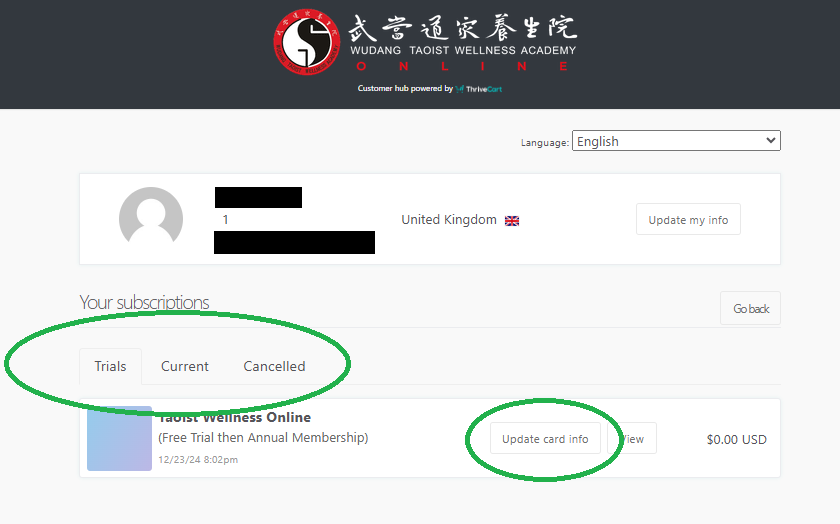
IF YOU ONLY WANT TO CHANGE YOUR CARD DETAILS FOR A SINGLE SUBSCRIPTION:
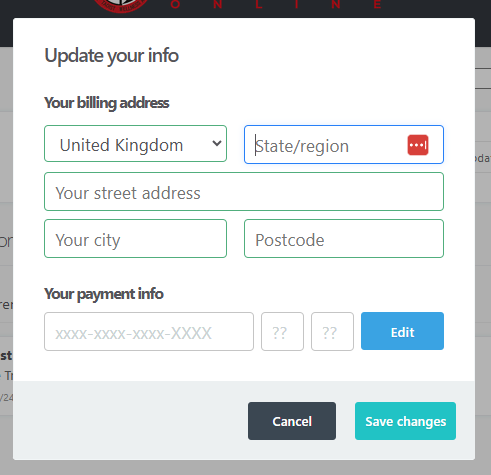
Please select 'subscriptions' from the landing page, find your subscription under either the trial or current tab, then select the 'update card info' button to change your card details, then save.
IF YOU PAY VIA PAYPAL:
You will need to change your preferred payment method within your own PayPal account.